The Script That Powers My Deep Work Sessions
March 9th, 2026
I've been trying lots of productivity apps, tips and tricks throughout the years. I've always been in search of getting more done in less time. The bash script I am going to write about today helps me do that by enabling deep work. It also made me realize that we are already in a new era for software development.
What Does It Do?
"Deep Work" is a concept first introduced by Cal Newport in his aptly named book Deep Work. It is basically blocking some time and doing work without getting distracted. My script does three things:
- Sets a timer for how long I want the deep work session to be
- Sets a focus mode on my devices so I cannot get distracted by calls, text or notifications
- Tracks what project / task I've worked on during that session
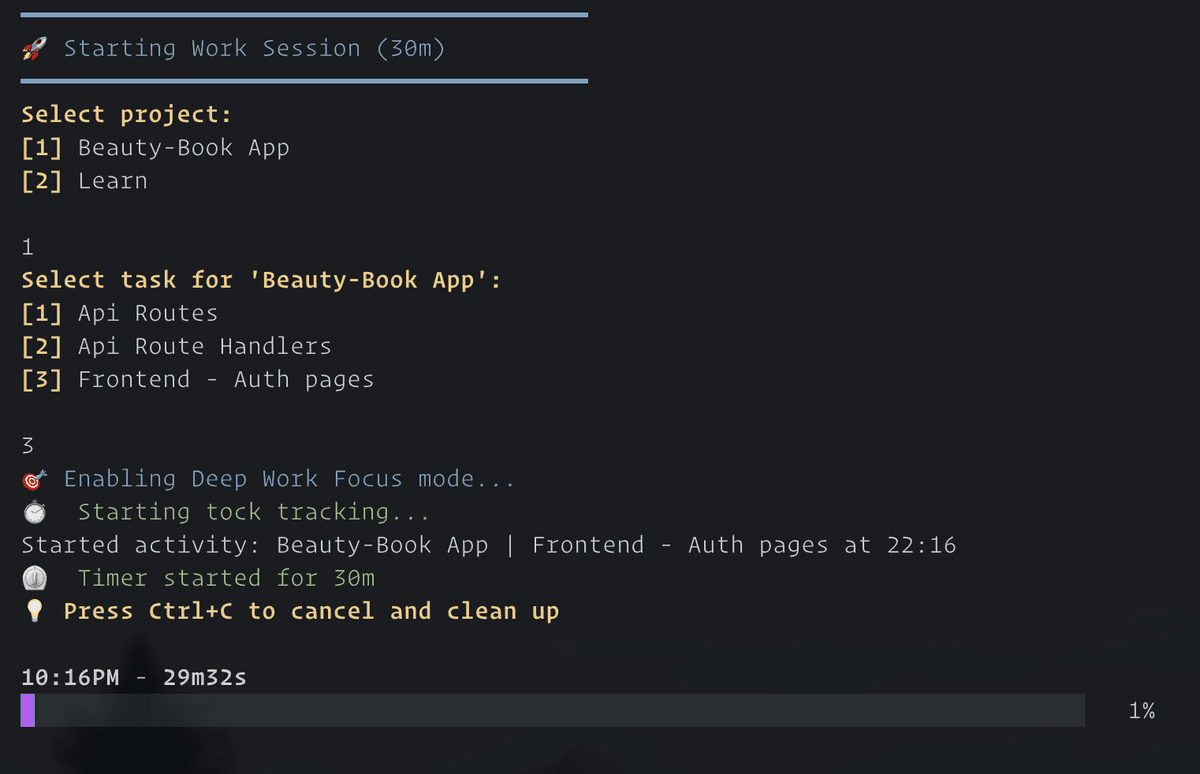
It is a very basic script but also a very powerful one in terms of its results.
Why This Script?
I am an industrial engineer. Even long before I became one, I was obsessed with efficiency and productivity. Even though most of my productivity tools are analog nowadays, I still use some digital tools. One of them was my deep work shortcut. If you don't know, Apple Shortcuts is an app to automate some tasks you can do with your iPhone or Mac. It was a very promising app when Apple acquired it but unfortunately it doesn't live up to its potential. Anyway, my shortcut set a timer and turned on the focus mode, and I would separately start time tracking with toggl track. Toggl is a nice time tracking app but I didn't really use 90% of its functionality so it was a bit overkill for me. And I sometimes (maybe most of the time) forgot to start tracking time.
About a month ago, I came across a CLI app for time tracking. Now that I mostly work in the terminal, I am always in search of great TUI apps. The app is called tock. I am sure there are better and more feature rich cli apps out there, but after trying the app I really liked its simplicity and design. It basically stores all its data in a text file. It has a calendar view where you can view past time entries and details, a timer view with interactive clock and a report view. It was what I was looking for in a time tracking app. So I thought "how can I integrate this with my existing shortcut?" and I instantly came up with the idea of a bash script.
How Did I Write It?
I didn't need to write bash scripts until now. So I fired up a Claude Code session and explained Claude what I wanted. I told it about the tools I want to use (like tock and focus modes) and it almost one-shotted a working script.
After the first working prototype I wanted Claude to add some features:
- Set default time for when I run the script without time
- Select from previous projects and tasks or write a new project/task
- Implement an optional break timer right after the work timer is finished
- Play an alarm sound at the end of the timers to make it more obvious
- Cancel the session early and save the progress until cancellation
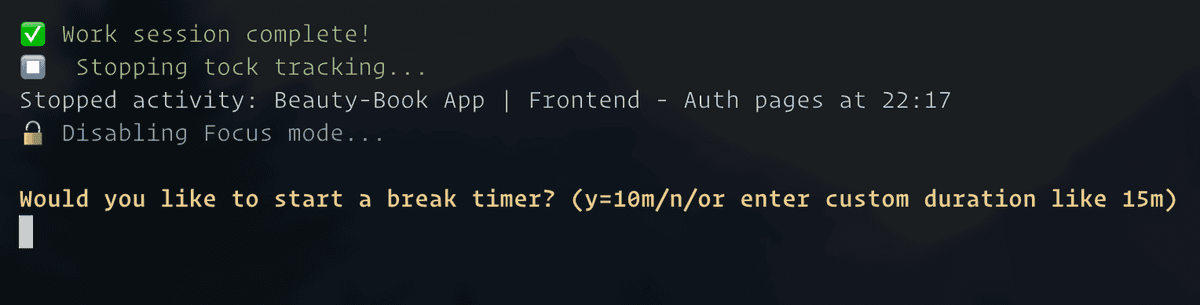
I didn't give the script a name, Claude chose "focus-session" and I went with it. I created an alias for it and now I only type fs and I can start working right away.
Impact
I use it much more than I used my old shortcut. I don't know why, but I think it is less work to actually run the script. I used to use Raycast to run the shortcut. Now as I am always in the terminal I can just type fs and go on. I am also glad that I can finally track my time better. Working in timed sessions and taking breaks in between really boosts my productivity. I can focus better, I don't burn out as I don't forget to take breaks and I can work longer in total.
It is incredible how much LLMs and agents enable you to write code in languages you don't even know or enable people who don't know programming to actually build apps. Most of the time we don't need the many features of the apps we use, or we need a feature that the app doesn't have. So we use them partially, mix them with another app, still lack some feature and try to live with it. But those days are about to be over it seems. I am not saying that there will be a "SaaSpocalypse" but building the exact apps and workflows we need has never been easier. Welcome to the era of "Personal Software". More on this to come in my next story.